← All projects37 / WEB APPLICATIONS
Ask Linda
An AI workspace for finding information in company documents, exploring uploaded files, and turning everyday questions into useful drafts, summaries, and next steps.
Explore the screens ↓About these previewsOriginal application interfaces shown in a local preview with a fictional account, chat titles, and document records. No private conversations, internal documents, or live business data are shown.
Inside the project
01 / APP FEATURESConversational workspace
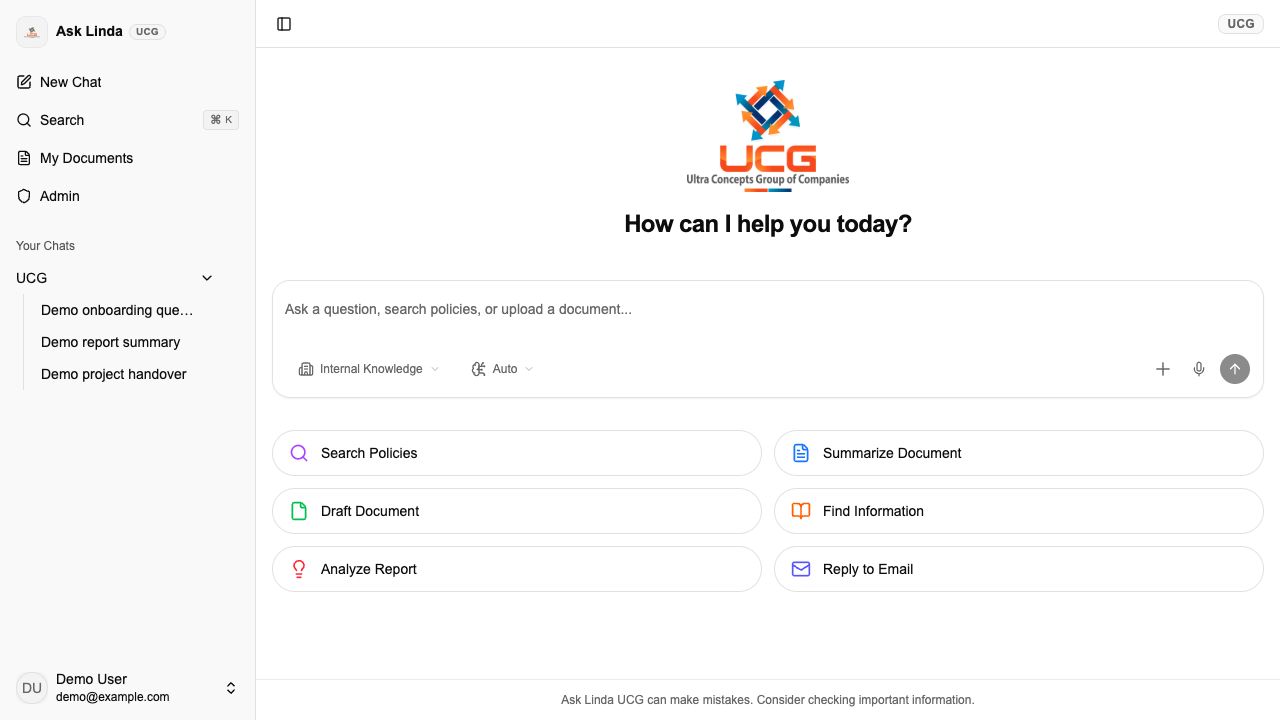
A single workspace brings together a question composer, file attachments, model controls, and past conversations. Streaming responses support an ongoing exchange, while the sidebar helps users return to earlier chats grouped by organization.
View full screen ↗ 02 / APP FEATURESA searchable document library
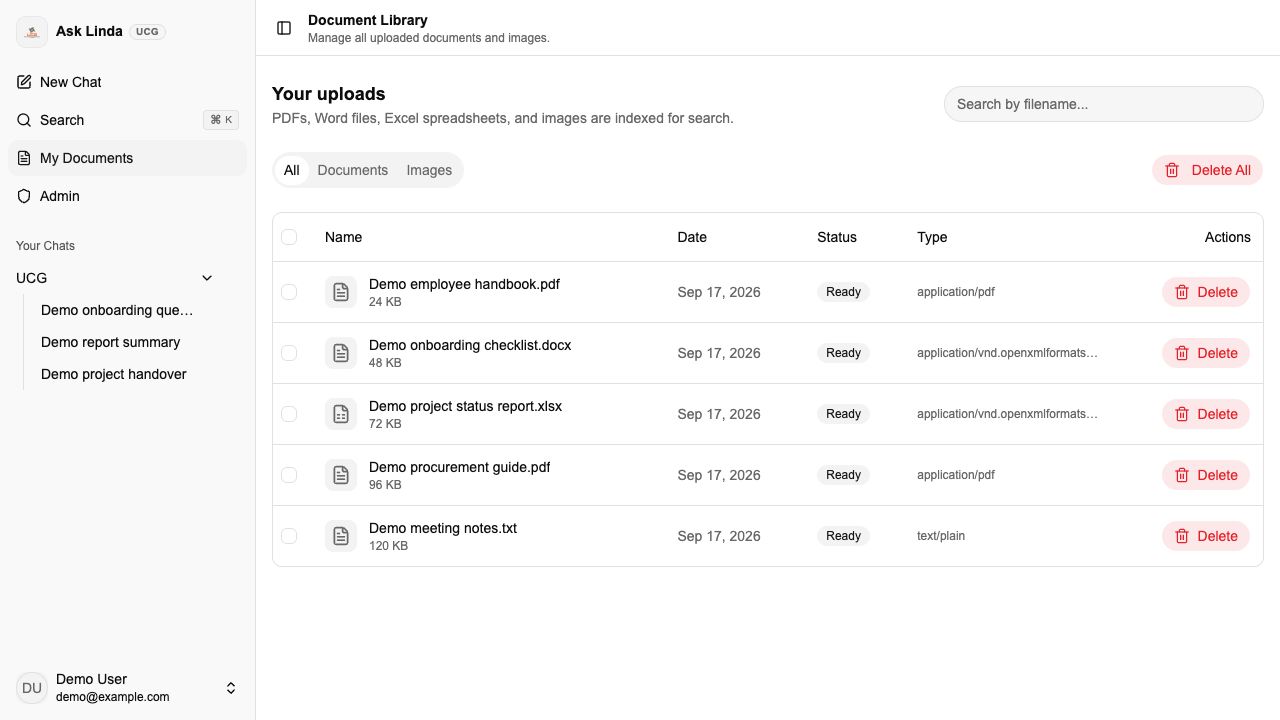
The document library brings uploaded files into one place, with filename search and separate document and image views. File types, dates, sizes, and processing states help users understand what is available for search and which uploads need attention.
View full screen ↗ 03 / APP FEATURESGuided everyday tasks
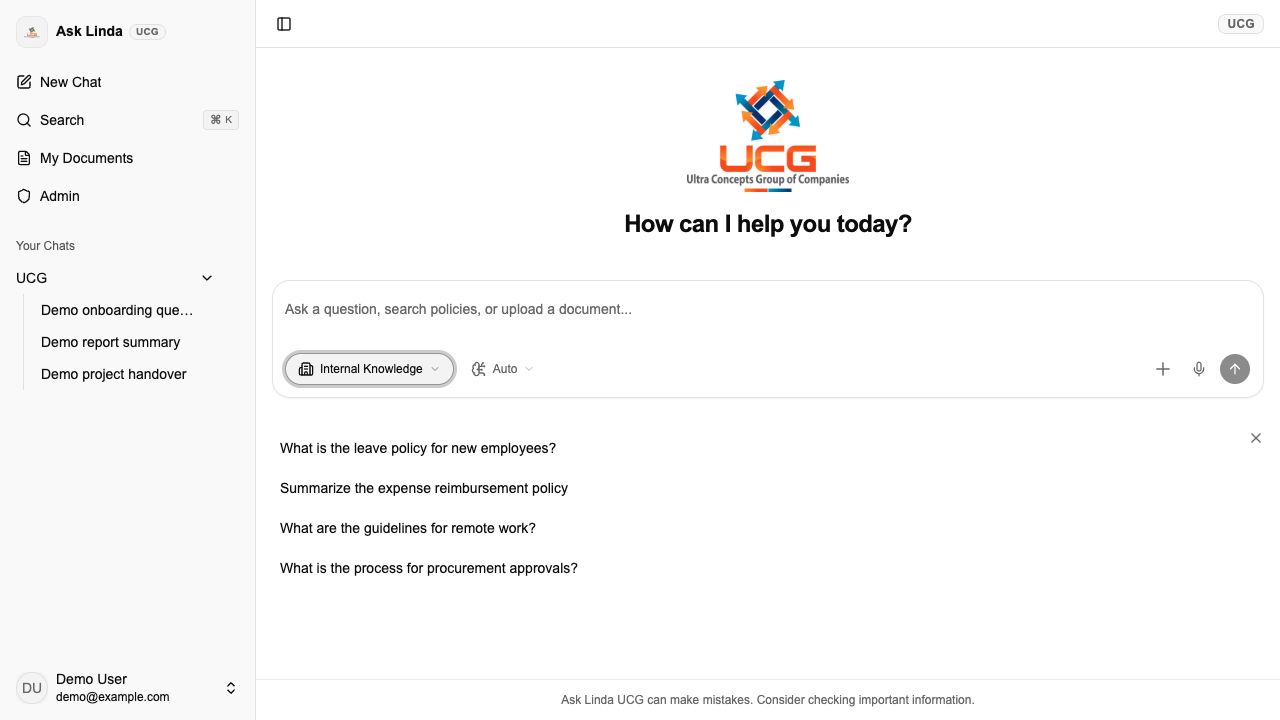
Built-in starting points help users search policies, summarize a document, draft content, find information, analyze a report, or prepare an email reply. Each category offers example prompts that can be adapted before sending, making the workspace approachable without requiring users to start from a blank page.
View full screen ↗ BEHIND THE WORKSPACE
Context, control, and shared knowledge.
04Document-based answers
Internal Knowledge searches the organization’s knowledge base first, using retrieved document content to inform a response. General Assistant provides a separate mode for broader questions and drafting. Supported uploads include PDF, Word, text, and spreadsheet files, alongside image analysis.
05Organization context
Organization selection connects the workspace with the relevant branding and knowledge context. Conversation history is grouped by organization, helping users keep track of previous work when moving between available company workspaces.
06Flexible input and model controls
Users can type a question, attach a file, or use the voice-input control. The composer includes an automatic model option and a model selector; attachment states make upload progress and failures visible before a question is sent.
07Shared knowledge administration
Administrative views support user management, document management, and the shared knowledge library. These tools help maintain the material available to the assistant and review application activity as the library grows.