← All projects42 / BUSINESS SYSTEMS
UCG Action Desk
A daily action workspace that brings Outlook messages, Microsoft To Do tasks, and Fireflies meeting follow-ups into a prioritized brief, with source context and weekly work evidence for authorized reviewers.
Explore the screens ↓About these previewsScreenshots show the original Action Desk interface running in an isolated local preview with a fictional account, sample actions, and synthetic counts. Real names, email content, employee reviews, internal links, and live business records are excluded. No production service was connected.
Inside the project
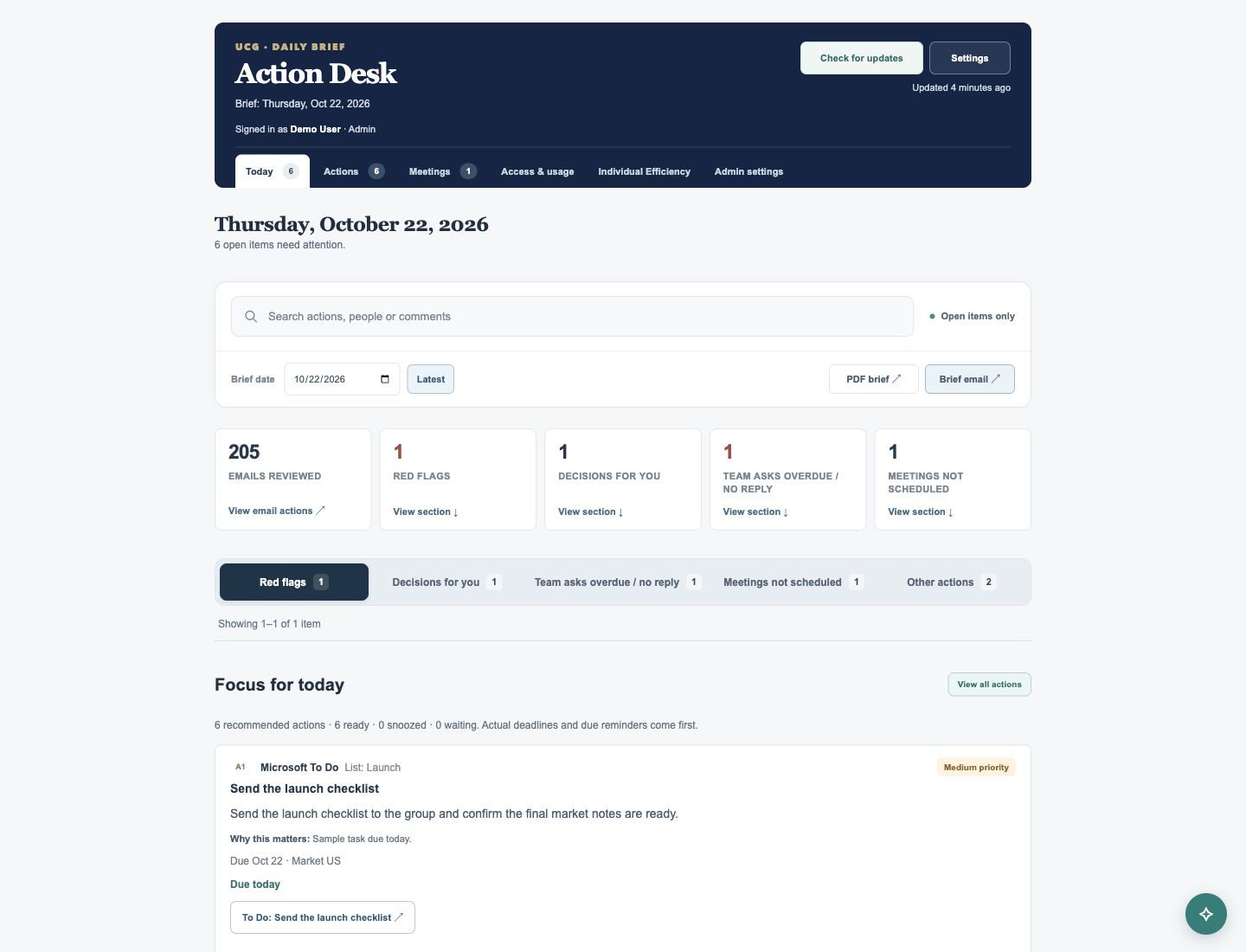
01 / APP FEATURESA daily brief with clear priorities
The Today view groups connected work into red flags, decisions for you, team asks overdue or awaiting a reply, meetings not scheduled, and other actions. A focus list brings due work and reminders forward, while priority labels and explanations help users understand what needs attention. Brief dates let users revisit saved daily views.
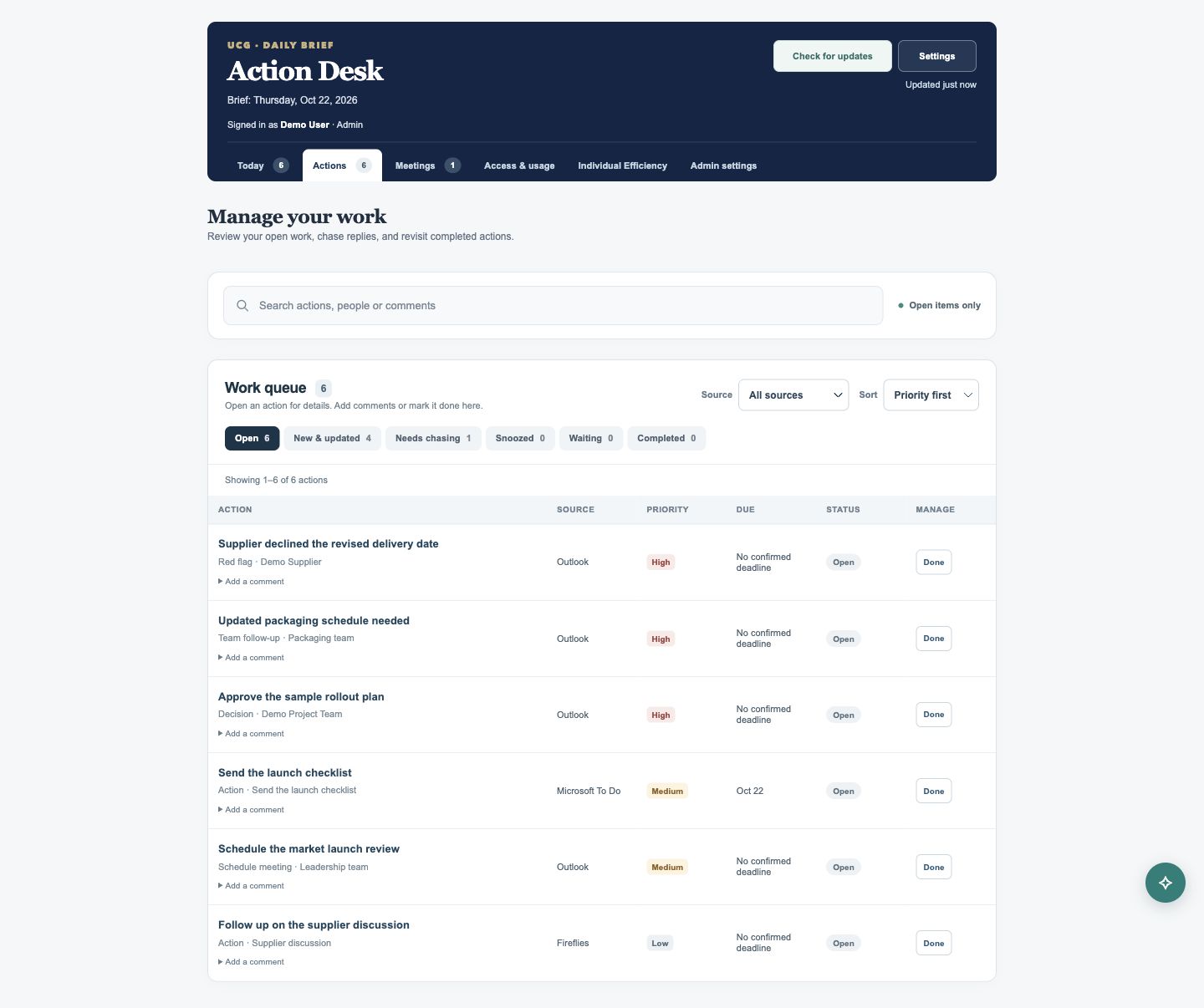
View full screen ↗ 02 / APP FEATURESOne queue for follow-through
The Actions tab presents the same work in a searchable table, with source filters and sorting by priority, due date, or recency. Open, new and updated, needs chasing, snoozed, waiting, and completed views keep different states easy to find. Comments and reminder controls support follow-through; Microsoft To Do completion can sync to the source, while email and meeting items can be marked done locally.
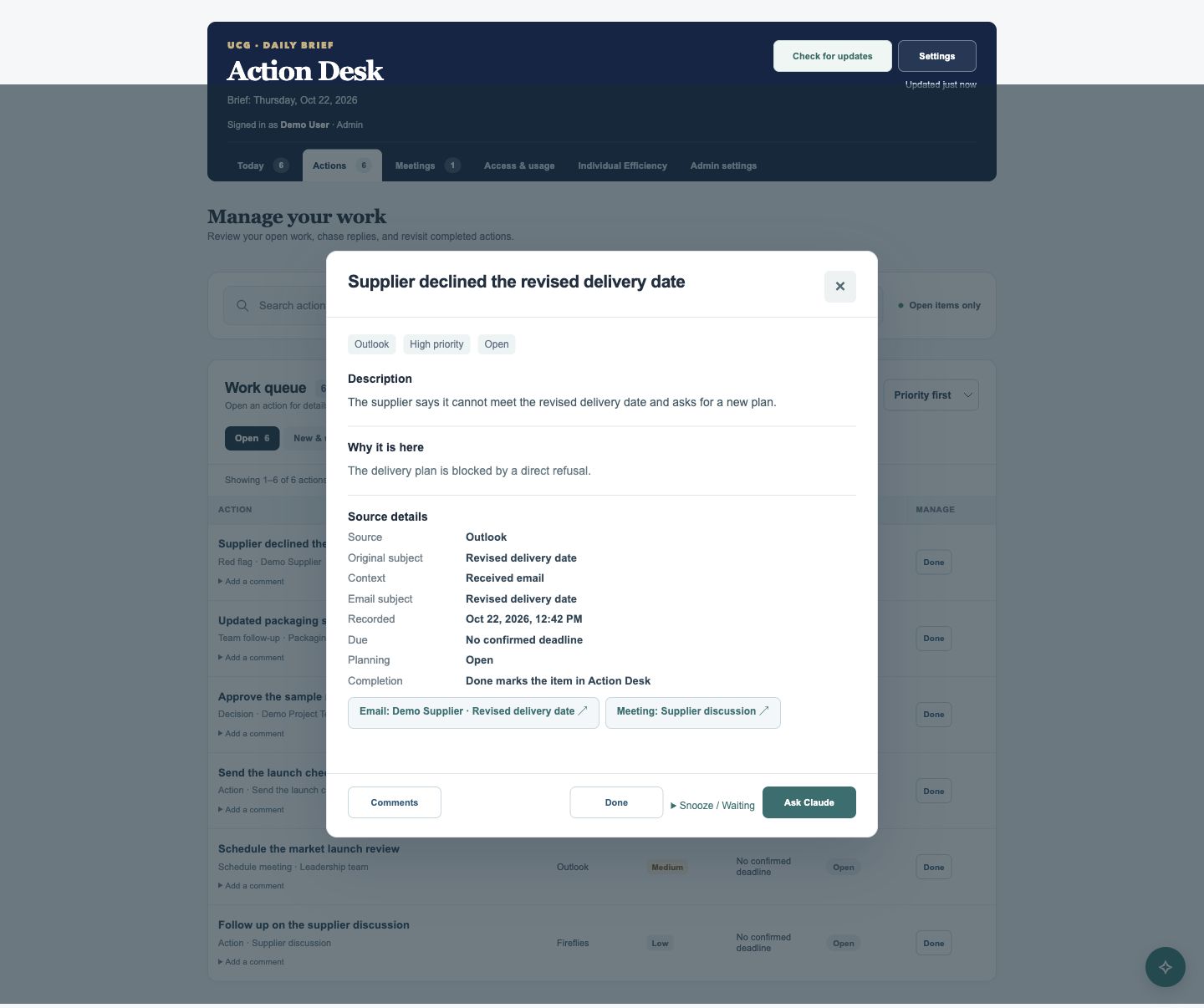
View full screen ↗ 03 / APP FEATURESThe context behind each action
Opening an action reveals its description, the reason it was surfaced, source details, planning state, and completion behavior. Related email and meeting links help users return to the supporting context. The interface distinguishes confirmed source deadlines from items without a confirmed deadline.
View full screen ↗ CONNECTED WORKFLOWS
From daily actions to a clearer weekly picture.
04Meeting follow-ups
The Meetings view groups open Fireflies actions by meeting and keeps the original meeting link alongside the assigned follow-ups. Outlook calendar checks provide evidence for meeting requests that have not yet been scheduled, while reply checks help separate outstanding team requests from conversations with a detected response.
05Claude assistance and shareable briefs
Claude can help users explore a selected action using its available context. Personal model controls and connected-source settings sit alongside the workspace. PDF and email-format brief previews provide another way to review the daily summary, with export controls available from the Today view.
06Individual Efficiency
Authorized reviewers can browse a department-grouped directory and open weekly work evidence, email findings, work logs, and saved score history. Closure-evidence scores summarize completed and unresolved work, with coverage gaps, insufficient evidence, and early-rollout limitations made visible. These provisional indicators support review; they do not establish an overall performance rating.
07Access and administration
Application roles separate everyday action management from user administration, integration settings, usage reporting, and weekly-review controls. Each user connects their own Outlook and Fireflies accounts. Administrative tools support role management, recorded Claude usage, and the status of scheduled weekly reviews.